
Managing members in voice
Move, gather or disconnect members from voice channels, during an event or to moderate.
During an event, or to moderate, your team can move members from one voice channel to another, gather them, or disconnect them.
In short
+voicemove #channel: everyone in your channel goes to #channel;+bringall: every member in voice on the server joins you;+voicekick @member: disconnects a member.
Moving members
+voicemove #channel: everyone in your channel goes to #channel;+voicemove @member: that member comes to your channel;+voicemove #channel1 #channel2: all of #channel1 goes to #channel2 (a member instead of a channel works too: it is then their channel);+voicemovealone: the bot waits for you to switch channels, then brings along those who were with you.
+bringall gathers every member in voice on the server in your channel, or in another: +bringall #stage. Only humans are moved.
Disconnecting members
+voicekick @memberdisconnects a member from their voice channel (several at once work too);+cleanup #channeldisconnects everyone from a voice channel, or several.
The creator of a temporary voice channel can also use +voicekick in their own channel, if you allowed it.
Preventing abuse
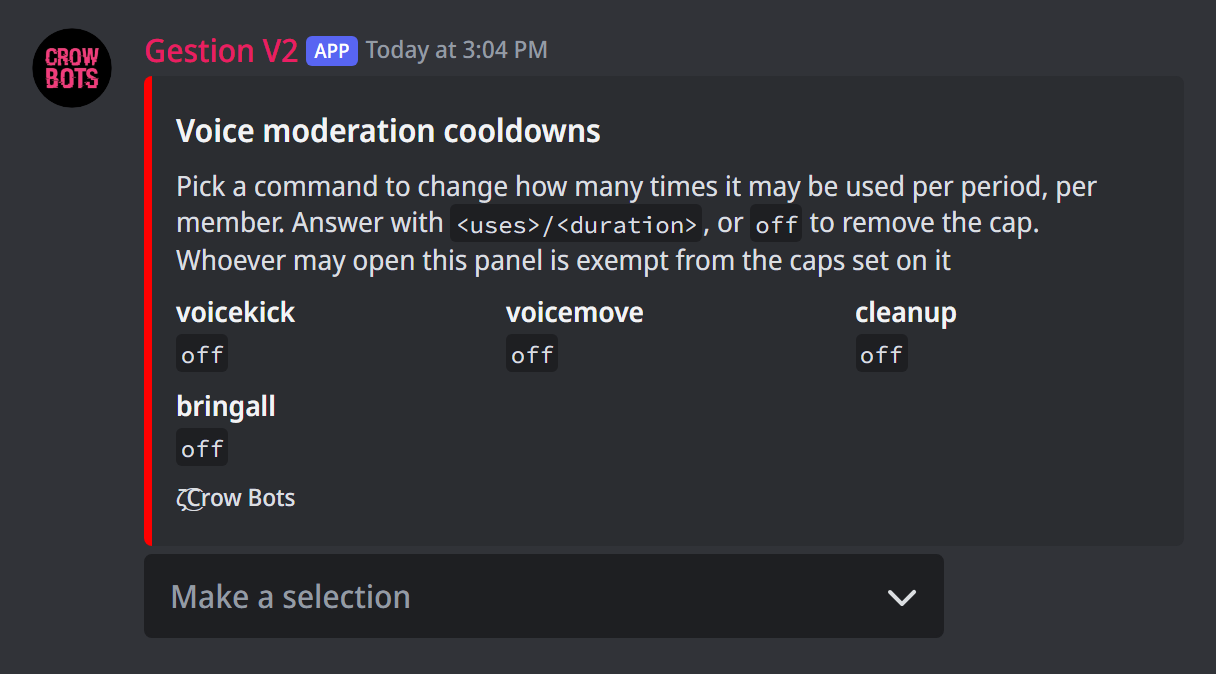
Moving or disconnecting members all the time can bother everyone. +voicelimit opens a panel that limits how many times each member can use +voicekick, +voicemove, +cleanup and +bringall over a period.
Pick the command in the menu, then answer with a number of uses and a duration: 3/10m (3 times in 10 minutes), or off to remove the limit. Past that, the bot says how long to wait. Those who can open this panel (the owners by default) aren't limited.
If it doesn't work
- Nobody is moved: the bot needs the Move Members permission, and must be able to see and join both channels.
+voicemovealone does nothing: it waits for you to switch voice channels yourself.- "is limited to … uses": the
+voicelimitcap is reached; wait for the time given.
Every command
Each command of this guide, with its arguments, its default level and examples: Voice member management.