
Rewarding those who promote the server
Automatically give a role to members who show your server in their status or wear its tag.
The supporter role automatically thanks the members who promote your server. There are two possible roles:
- the status role, for those whose Discord status mentions the server ("discord.gg/myserver", the server's name…);
- the tag role, for those who show the server tag on their profile.
The bot gives the role as soon as the condition is met, and removes it as soon as it no longer is.
In short
+soutienopens the panel.- Pick the Status role, then Add an accepted message: for example
discord.gg/myserver. - Members who put that text in their status get the role.
The status role
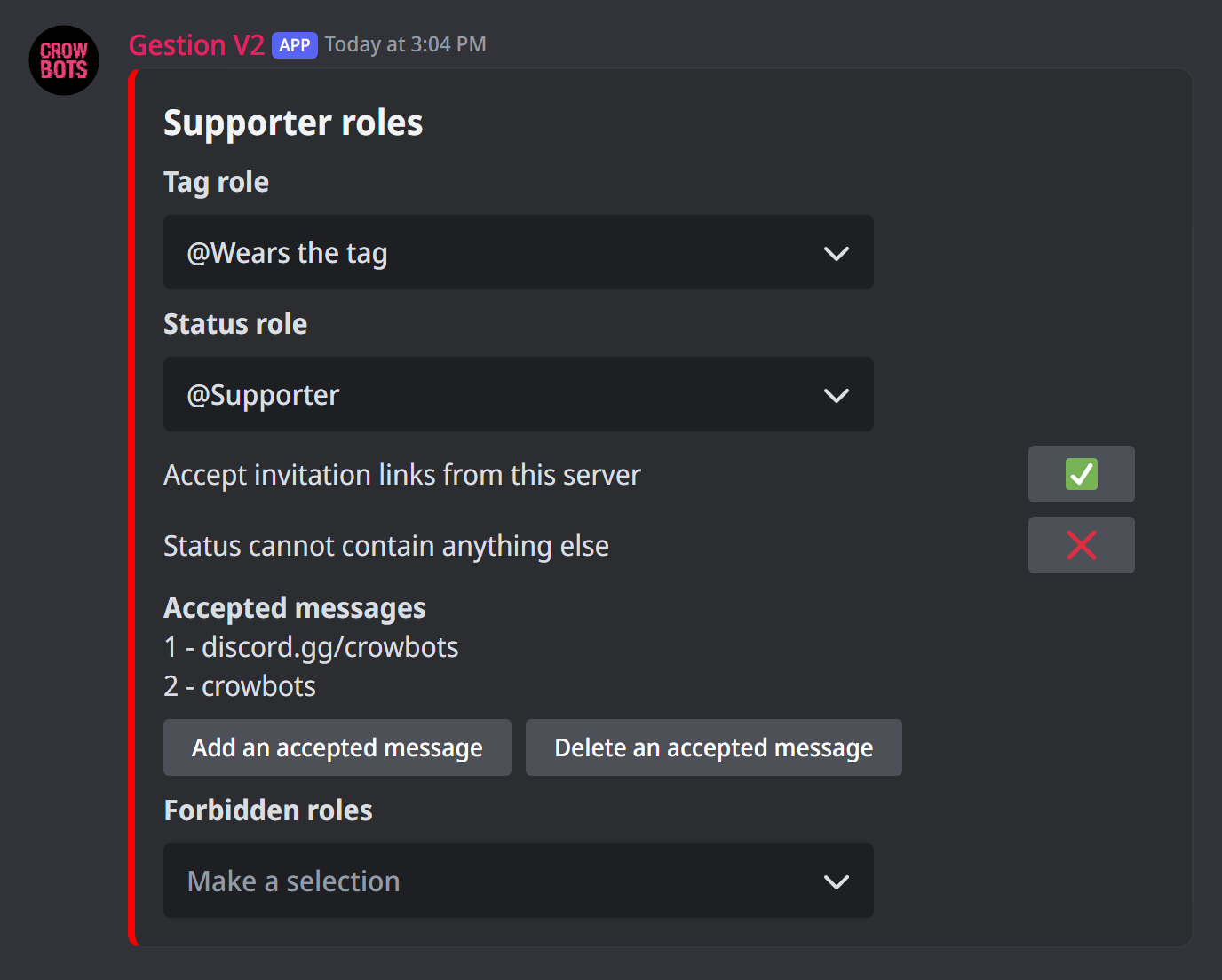
Type +soutien, then:
- in Status role, pick the role to give;
- Add an accepted message: a text the status must contain, like the invite link or the server's name. Capitals don't matter. Delete an accepted message removes one.
Two options refine the rule:
- Accept invitation links from this server: with ✅, any invite to your server in the status counts too, even if it isn't in the list;
- Status cannot contain anything else: with ✅, the status must be exactly one of the accepted messages, with no other text.
The tag role
Servers that have a tag (the few letters Discord shows next to a name) let their members show it on their profile. In Tag role, pick the role to give to those who wear it.
Who gets the roles
- Forbidden roles: a member with one of these roles doesn't get the supporter roles (handy to leave out problem accounts).
- The menu only offers the roles you can give: not those above yours, not those managed by an integration, nor, when the antirole is on, dangerous roles.
- The bot needs the Manage Roles permission, and its role must be above the supporter roles.
If it doesn't work
- A member doesn't have the role: their status must be visible (not in invisible mode) and contain one of the accepted messages. Also check they don't have a forbidden role.
- The role isn't in the menu: it is above yours, managed by an integration, or considered dangerous while the antirole is on.
- The role isn't given: the bot's role must be above the supporter role.
Every command
Each command of this guide, with its arguments, its default level and examples: Supporter role.