
The bot's settings
Change the prefix, rename commands, use the help, see the server's setup, and reset everything.
This guide gathers the bot's general settings: its commands' prefix, their names, the help, the setup summary and the reset.
In short
+prefix !: commands are written!ban,!help…;+help ban: a command's help page;+settings: everything set up on this server.
The prefix
The prefix is the sign in front of every command, + by default.
+prefix !changes it on this server (10 characters at most): commands are then written!ban,!help…+mainprefix +changes the bot's default prefix: the one for direct messages, and the one a new server gets. Kept for the owners.
Forgot the prefix?
Mention the bot instead of the prefix: @bot help always works. Mentioning the bot alone reminds your staff (Perm 1 or more) of the prefix.
Renaming commands
Aliases are other names for a command, shorter or in your language: b for ban, rules for a command… +alias ban opens a panel to add a name to the command (25 at most) or remove one. A command's first name can't be removed.
Aliases apply on every server of the bot, and are kept for the owners; you must be able to use the command yourself.
The help
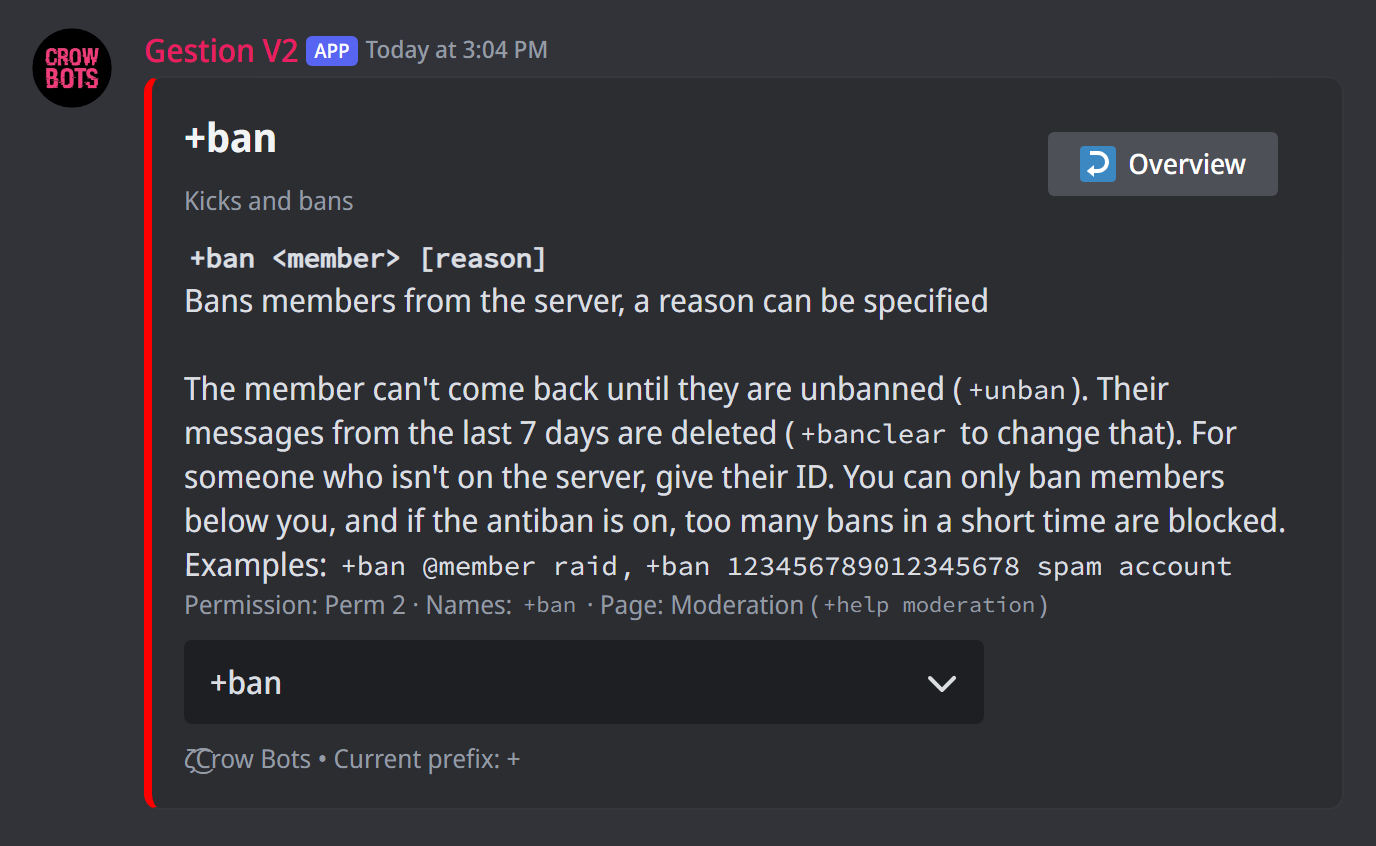
+helpopens the help by category: moderation, logs, antiraid…+help banopens a command's page: its syntax, what it does, examples, its level and its other names. The menu moves to the other commands of the same feature, Overview goes up to the feature.+help automoderationopens a feature's page; a typo is tolerated.+help setupgives the steps to get started.+helpalllists every command you can use, by permission level.
For the owners: +helptype picks how the help's pages are turned (button: arrows, select: a menu, hybrid: both), and +helpalias on writes commands with your aliases in it.
All these pages are also on this website, in All commands.
The setup summary
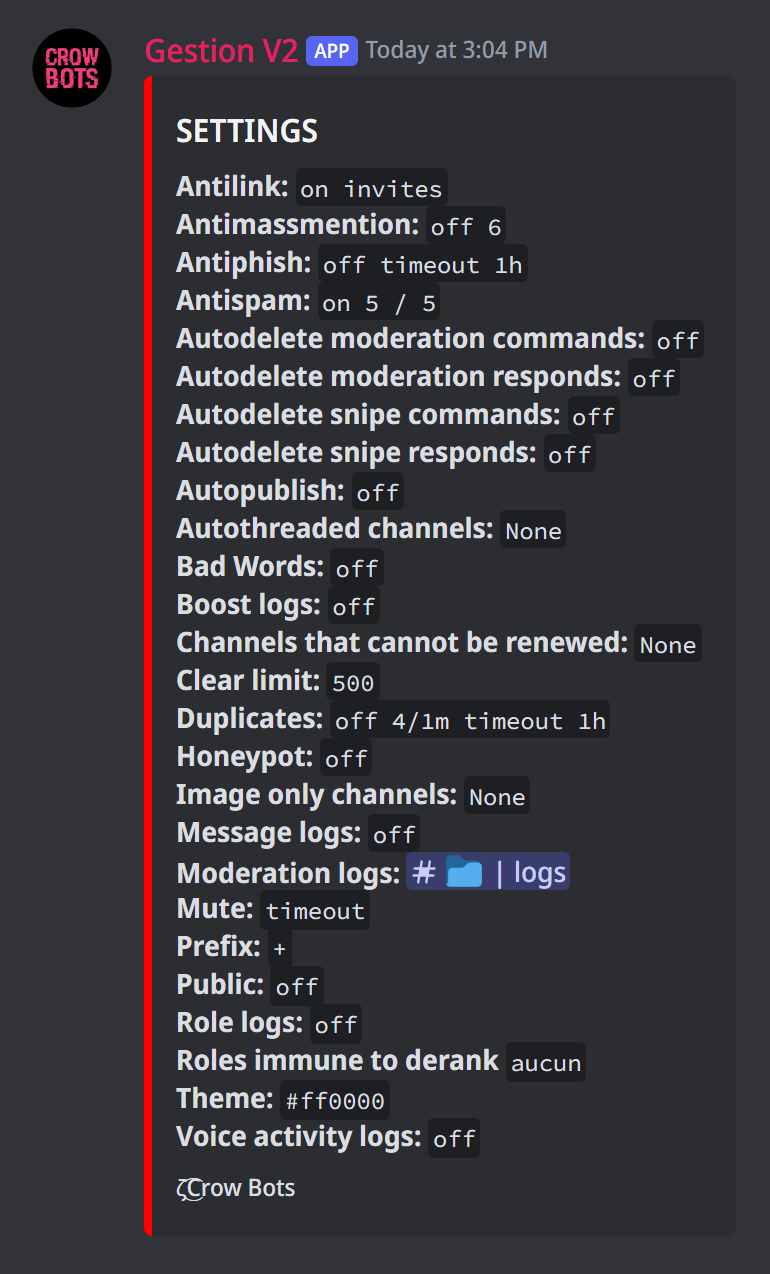
+settings shows in a single message what is set up on this server: the prefix, the mute type, the +clear limit, the log channels, the automoderation, the antihack, the selfie or auto-thread channels, the roles protected from derank… Handy to check what is on before changing a setting.
Resetting everything
Irreversible
These commands erase the bot's settings, with no way back. They are kept for the buyer, and the bot asks for a confirmation.
+reset serverresets the bot's settings on this server: permissions, logs, protections, messages…+resetallresets the bot's settings on all its servers.
Every command
Each command of this guide, with its arguments, its default level and examples: Prefix, Command aliases, Help, Settings and Reset.