
Protecting yourself from hacked accounts
Spot and automatically sanction the hacked accounts that post scams on your server.
A hacked account often posts scams (fake Nitro gifts, fake giveaways…) in every channel at once, before its owner notices. The antihack spots them and sanctions the account right away, to limit the damage.
In short
+antihackopens the panel.- Turn the detectors on with their ✅ button.
- Check that the moderation logs are on: the evidence goes there.
The three detectors
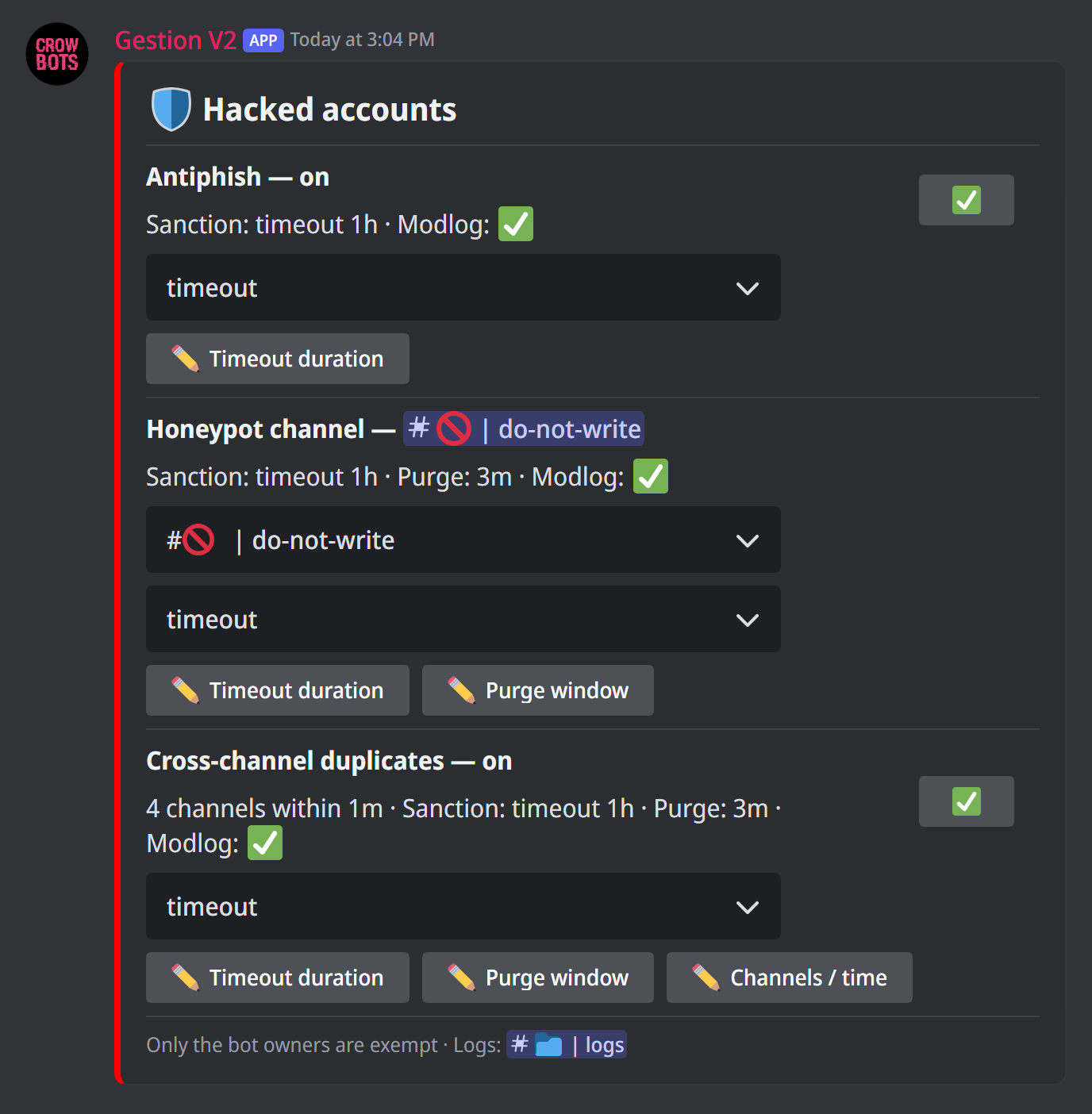
Type +antihack. The panel has a section per detector, each with its button to turn it on:
- Antiphish: scam images (fake Nitro gifts, fake giveaways…).
- Honeypot channel: pick in the menu a channel where nobody should write; the bot posts a warning there. An account that writes there anyway is treated as hacked: hacked accounts write everywhere without reading.
- Cross-channel duplicates: the same message sent in several channels in a short time. By default, 4 channels in less than a minute; Channels / time changes both numbers.
Your staff too
Only the bot's owners are exempt: a hacked account is often a trusted member's, and that is precisely the one doing the most damage.
The sanction
For each detector, the menu picks the sanction:
- timeout (the default): a temporary timeout, 1 hour by default. Timeout duration changes it. The member can explain and recover their account in the meantime;
- kick: the account is kicked;
- ban: the account is banned.
This sanction doesn't count towards the automoderation's automatic sanctions.
What the bot does
When a detector fires, the bot:
- forwards the message to the moderation logs, as evidence;
- deletes it from the channel;
- sanctions the account.
For the honeypot and duplicates, it also erases the account's recent messages: those of the last 3 minutes by default. Purge window changes that duration (0 to only erase the message at fault).
Detections are recorded in the moderation logs (+set modlog picks which ones appear there).
If it doesn't work
- The panel reports missing permissions: the bot needs the permission matching the sanction (time out, kick or ban members), and to be able to manage messages.
- "the trap will catch nothing":
@everyonemust be able to see the honeypot channel and post in it, otherwise nobody can fall into it. - "Discord will refuse to forward what the trap catches": the honeypot channel is age-restricted but the logs channel isn't; only the log line will be kept. Give both the same restriction, or neither.
- A trusted member was sanctioned: check with them that their account wasn't hacked before lifting the sanction.
Every command
Each command of this guide, with its arguments, its default level and examples: Antihack.