
The shop and auctions
Sell items that give roles or rewards, and run auctions.
Your members spend their money in the server's shop, and in auctions. An item can give or remove roles: a rank, access to a channel, a nickname colour… Ecrownomy answers in French: this guide quotes its panels and messages as they appear.
In short
*item VIP(administrators) creates the "vip" item and opens its panel: price, description, roles given.- Your members type
*shopto see the items,*buy vipto buy one. *bid(administrators) prepares an auction.
The shop
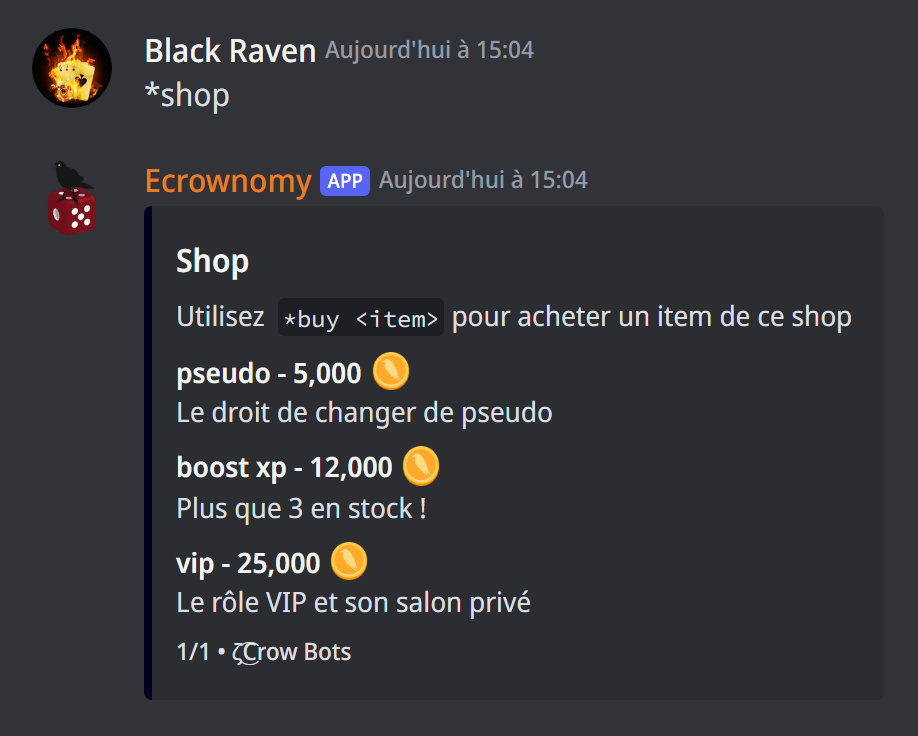
In the game channels:
*shopshows the server's items, from cheapest to most expensive, 10 per page;*buy vipbuys the item; the bot finds the item even if its name is misspelt, and suggests close names.
On purchase, the price is taken from the balance, the bot sends the item's reply and gives or removes its roles.
Creating an item
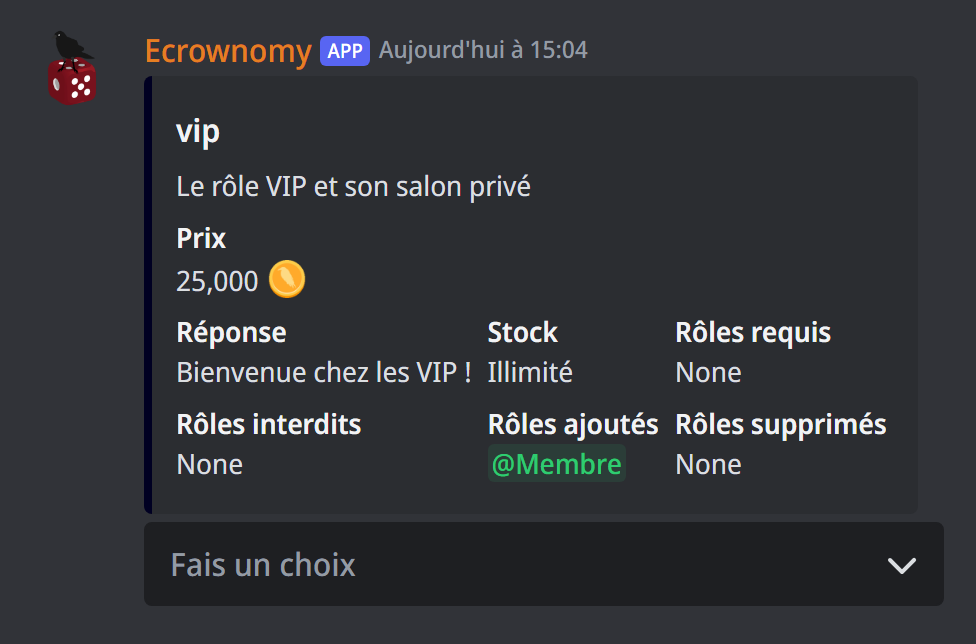
*item <name> (administrators) creates an item, or opens the one that already has this name. Its panel has a menu:
- Modifier le nom, Modifier la description, Modifier le prix (name, description, price);
- Modifier la réponse (reply): the message sent on purchase ("Achat réussi" by default);
{stock}shows the remaining stock in it; - Modifier le stock: the number of copies for sale (0 for unlimited). When the last one sells, the item leaves the shop;
- Modifier les rôles requis and Modifier les rôles interdits (required and forbidden roles): who can buy it;
- Modifier les rôles ajoutés and Modifier les rôles supprimés (roles added and removed): the roles given or taken away on purchase;
- Supprimer l'item (delete the item).
Each change is saved at once. The roles to give or remove must be below the bot's role.
Auctions
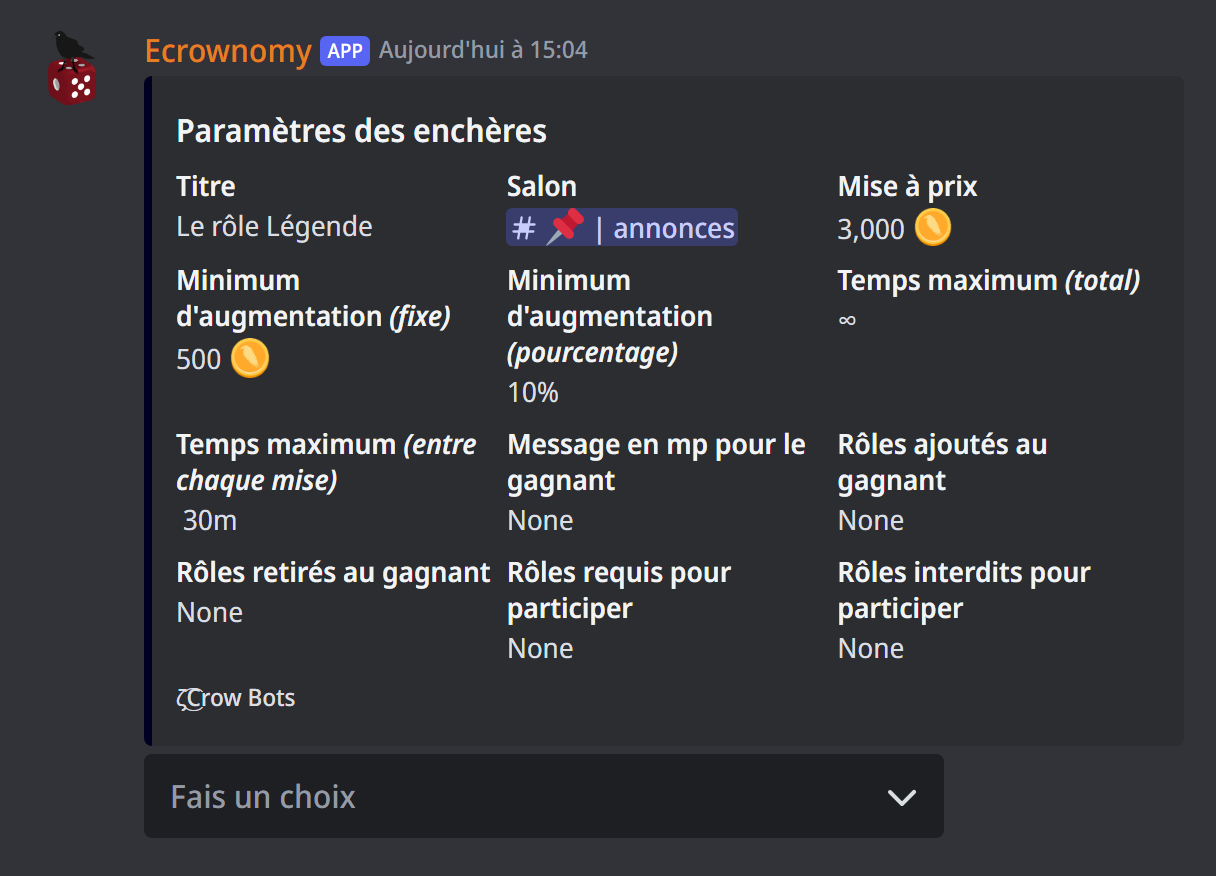
*bid (administrators) opens the panel of a new auction:
- Modifier le titre and Modifier le salon: the title and the channel where it's announced;
- Modifier la mise à prix: the starting price (3,000 by default);
- Modifier le minimum d'augmentation: the minimum raise, a fixed amount (500 by default) and a percentage (10% by default); each bid must beat the previous one by the larger of the two;
- Modifier le temps maximum (total), and (entre chaque mise): the auction ends when nobody bids for this long (30 minutes by default);
- Modifier le message en mp pour le gagnant: a text, and a file if you like, sent to the winner;
- Modifier les rôles ajoutés and retirés for the winner, requis and interdits to take part;
- Valider starts the auction, with a code your members use to bid.
*bid <code> reopens the panel of a running auction.
To bid, your members type *bid try <code> 5000. The bot refuses a bid that's too low, giving the minimum, and a bid above their balance.
At the end, the winner pays their bid (if they no longer have enough money, the auction has no winner), gets their roles, and the direct message. If they don't receive the bot's direct messages, they collect their prize later by sending *claim to the bot in a direct message.
If it doesn't work
- "Vous ne pouvez pas acheter cet item car vous n'avez pas les rôles requis" (or un rôle interdit): the item is kept for some roles.
- "Vous n'avez pas assez d'argent pour acheter cet item" (not enough money): the balance isn't enough.
- "La mise minimum pour cette enchère est de …" (the minimum bid is …): bid at least this amount.
- "Ce code ne correspond à aucune enchère en cours" (no running auction with this code): check the code, or the auction is over.
Every command
Each command of this guide, with its arguments and who can use it: Public commands and Economy (in French).