
The level system
Your members earn XP by chatting and in voice, level up and unlock roles.
On this page
With the level system, your members earn XP when they write messages and when they are in voice. With enough XP, they level up. You can reward some levels with roles, and your members compare themselves on a leaderboard: a good way to drive activity on your server.
Crow Tools' commands start with ; (its default prefix). Crow Tools answers in French.
In short
;lvlmessage on #levels: the bot announces every level-up in that channel.;role level add @Active 10: the @Active role is given at level 10.- Your members type
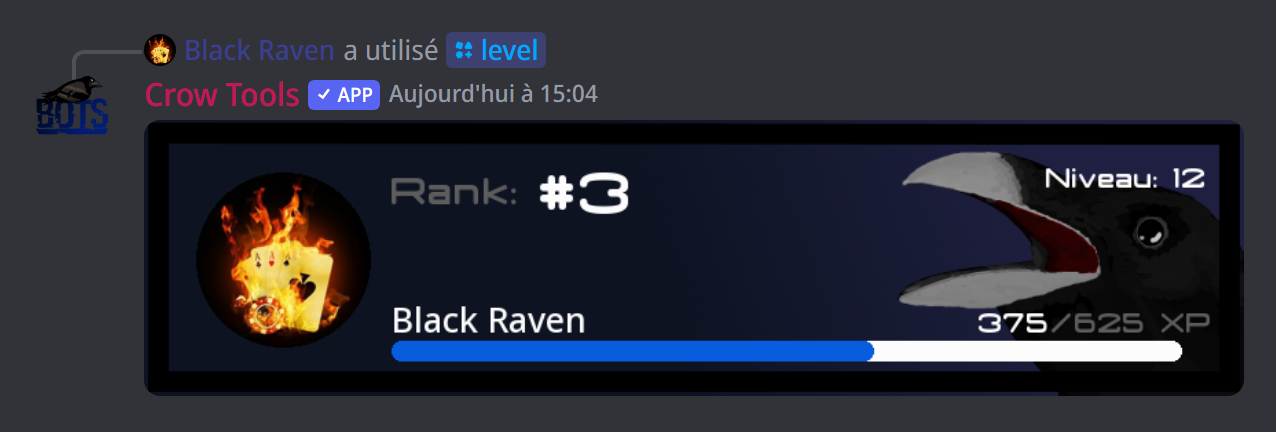
;levelto see their card, and;leaderboard levelfor the ranking.
Step 1: announce level-ups
;lvlmessage on #levels turns announcements on in that channel (without a channel, the one you type the command in). ;lvlmessage off turns them off.
To choose the announcement's text:
;lvlmessage set Well done {MemberMention}, you reached level {MemberLevel}!
{MemberMention} mentions the member and {MemberLevel} gives their new level. Every member variable works: see the variables page.
Step 2: reward with roles
;role level add @Active 10: the @Active role is given automatically at level 10;;role level del @Activeremoves that reward;;role level listshows the level roles;;role level cumul on: members keep every role they earned. Withoff, they keep only the highest;;role level syncupdates every member's level roles (useful after a change; it can take a while).
The bot's role must be above the level roles in the server's role list.
Step 3: set how much XP is earned
The rate is the amount of XP earned:
;rate message 20: the XP earned per message;;rate voc 5: the XP earned in voice; a member in voice earns it 6 times a minute (30 XP a minute here). A member who has deafened themselves earns nothing;;rate mute 50: a muted member in voice earns only 50% of the XP.
Add a channel at the end for a setting specific to that channel: ;rate message 40 #general earns more XP in #general, ;rate message 1 #commands almost nothing in #commands. A rate goes from 0 (no XP) to 100. ;rate list shows the channels with a specific setting.
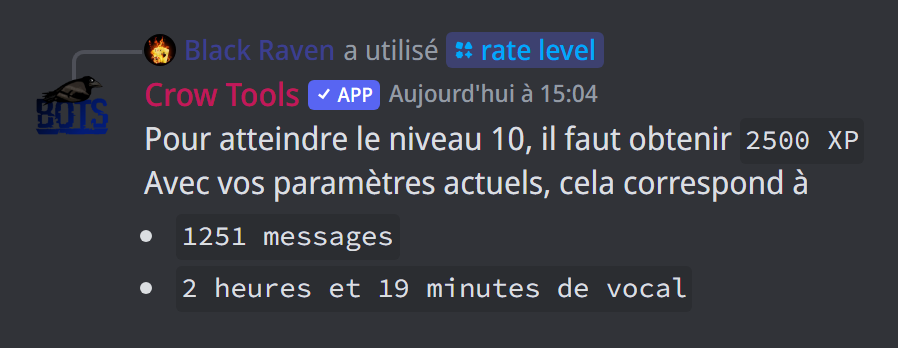
To find the right settings, ;rate level 10 tells you how many messages, or how long in voice, it takes to reach level 10 with your current rates.
Against spam
If a member sends several messages very quickly, only the first one earns XP. ;cooldown 5s sets this minimum delay between two counted messages.
By default, a message earns 2 XP, the voice rate is 3, a muted member earns 75% of the XP, and the delay between two counted messages is 10 seconds. ;settings level shows every setting of the level system.
How hard levels get
;levelfunction (owners only) changes how levels get harder to reach: you pick a formula and its constants (a, b, c), and the panel shows at once the XP needed for levels 1, 2, 3, 5, 10 and 20.
When you confirm, you choose what stays fixed for your members: their XP (their level then changes with the new formula) or their level (their XP is recalculated instead). The setting applies to all of the bot's servers.
Managing members' XP
;xp add 500 @membergives a member 500 XP,;xp remove 500 @membertakes some away;;xp reset @membersets their XP back to zero,;xp resetalldoes it for every member.
No going back
A reset is final. Think twice before ;xp resetall.
When a member leaves the server, their XP is kept for when they come back. With ;leavereset xp on, they lose it when leaving; ;leavereset xp off goes back to the default.
The leaderboard and the level card
;levelshows your own level card,;level @membersomeone else's;;leaderboard levelshows the server's ranking;;levelcard(owners) customises the level card for all of the bot's servers: a menu picks the colour of each element (the progress bar, "Rank:", the rank, the level, the name, the XP), changes the background picture, or puts the card back to default.
If it doesn't work
- Members earn very little XP: check the rates with
;settings leveland;rate list, and the;cooldowndelay. - Level roles aren't given: the bot's role must be above those roles. Then run
;role level sync. - No level announcement: check that
;lvlmessage onwas done in the right channel, and that the bot can write there.
Every command
Each levels command, with its arguments and who can use it: Commands: Levels (in French).