
Announcing lives, videos, posts and free games
Tell the server when a Twitch or YouTube channel you follow goes live or posts a video, an RSS feed posts an article, a subreddit gets a post, or a game becomes free.
On this page
Alerts announce in a channel the lives and new videos of the channels you follow, on Twitch and YouTube: any channel, whether its creator is on your server or not. They also announce the new articles of the RSS feeds you follow (blogs, news sites, forums…) and the new posts of the subreddits you follow on Reddit. Last, they announce the games that become free on Epic Games and Steam.
In short
+alertsopens the panel, then Configure on the platform.- Add a channel, by its name or link, a feed, by its address, or a subreddit, by its name.
- Pick the announcement channel and turn the alerts on.
Announcing the server's members
To announce your server's members when they are live on Twitch, without picking their channels one by one, see the members' Twitch alerts instead.
The alerts panel
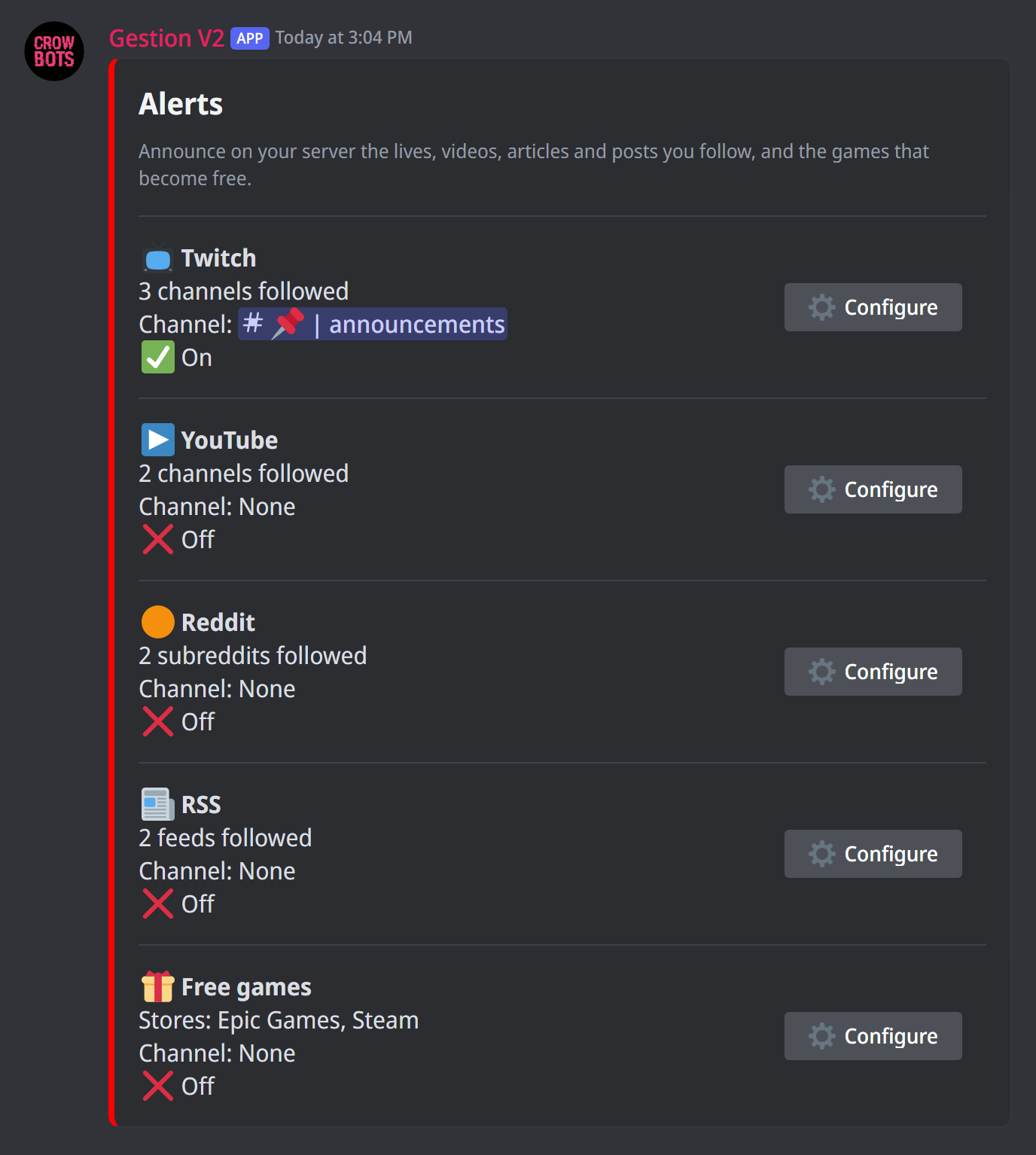
+alerts (or +alert) opens the panel. It has one section per platform, Twitch, YouTube, Reddit, RSS and free games, showing how many channels, feeds or subreddits are followed (the chosen stores, for free games), the announcement channel and whether the alerts are on. The Configure button opens the platform's panel; Back returns to the list.
Each platform is set on its own: its channels, feeds or subreddits, its announcement channel, its message. Only the member who typed the command can use the panel, and it closes after five minutes without use.
Following channels, feeds and subreddits
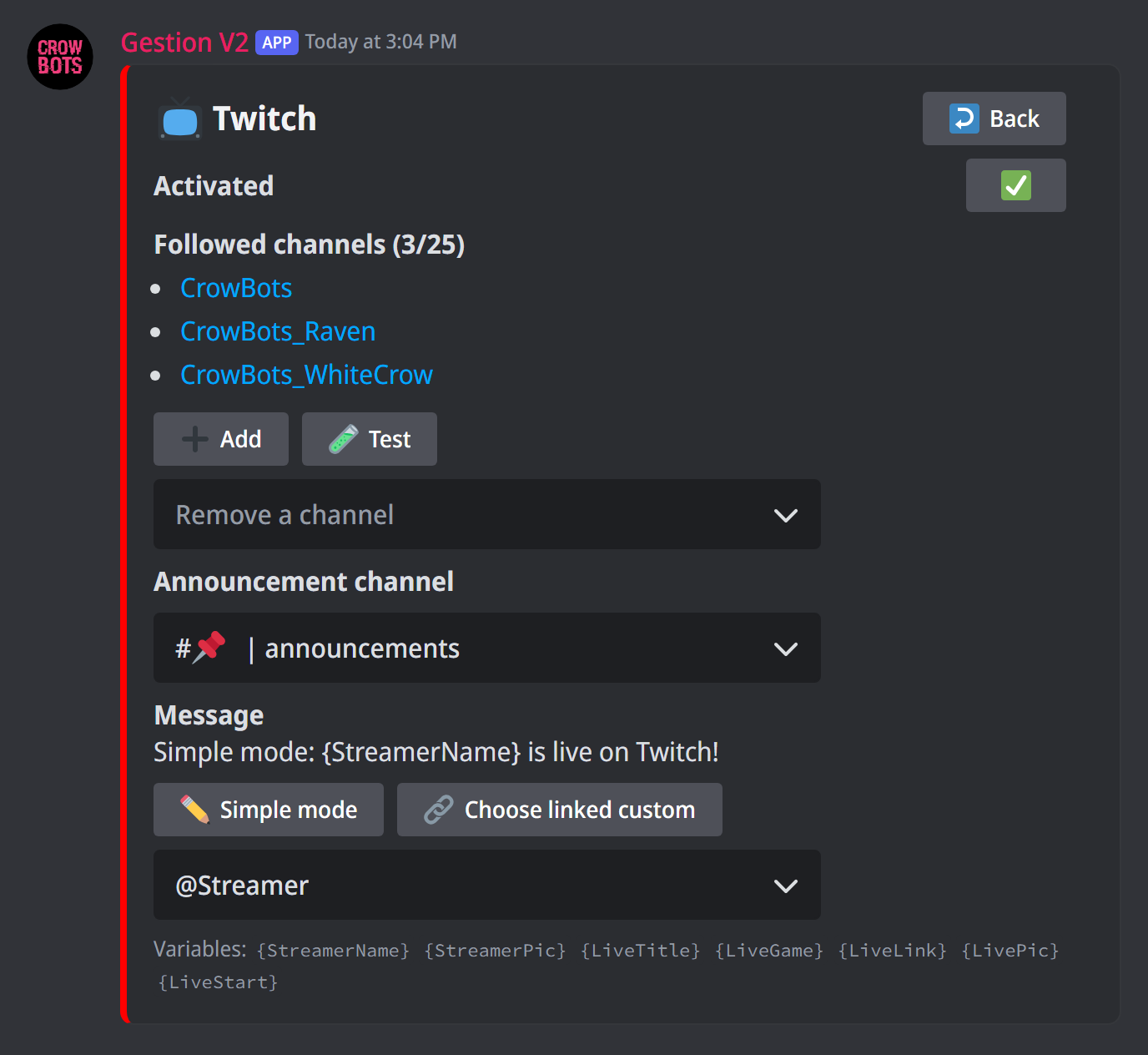
- Add: type the channel's name or paste its link (the feed's address, on RSS). The bot checks that the channel, the feed or the subreddit exists before adding it.
- Remove a channel (or a feed, a subreddit): pick it in the list.
A server follows 25 channels, feeds or subreddits at most on each platform.
On Twitch
The channel's name (crowbots) or its link (https://twitch.tv/crowbots), even to another page of the channel (its videos, its clips…). Each of the channel's lives is announced.
On YouTube
The channel's name (@CrowBots), a link to the channel (https://youtube.com/@CrowBots, …/channel/UC…), or even a link to one of its videos, Shorts or lives: the bot finds the channel.
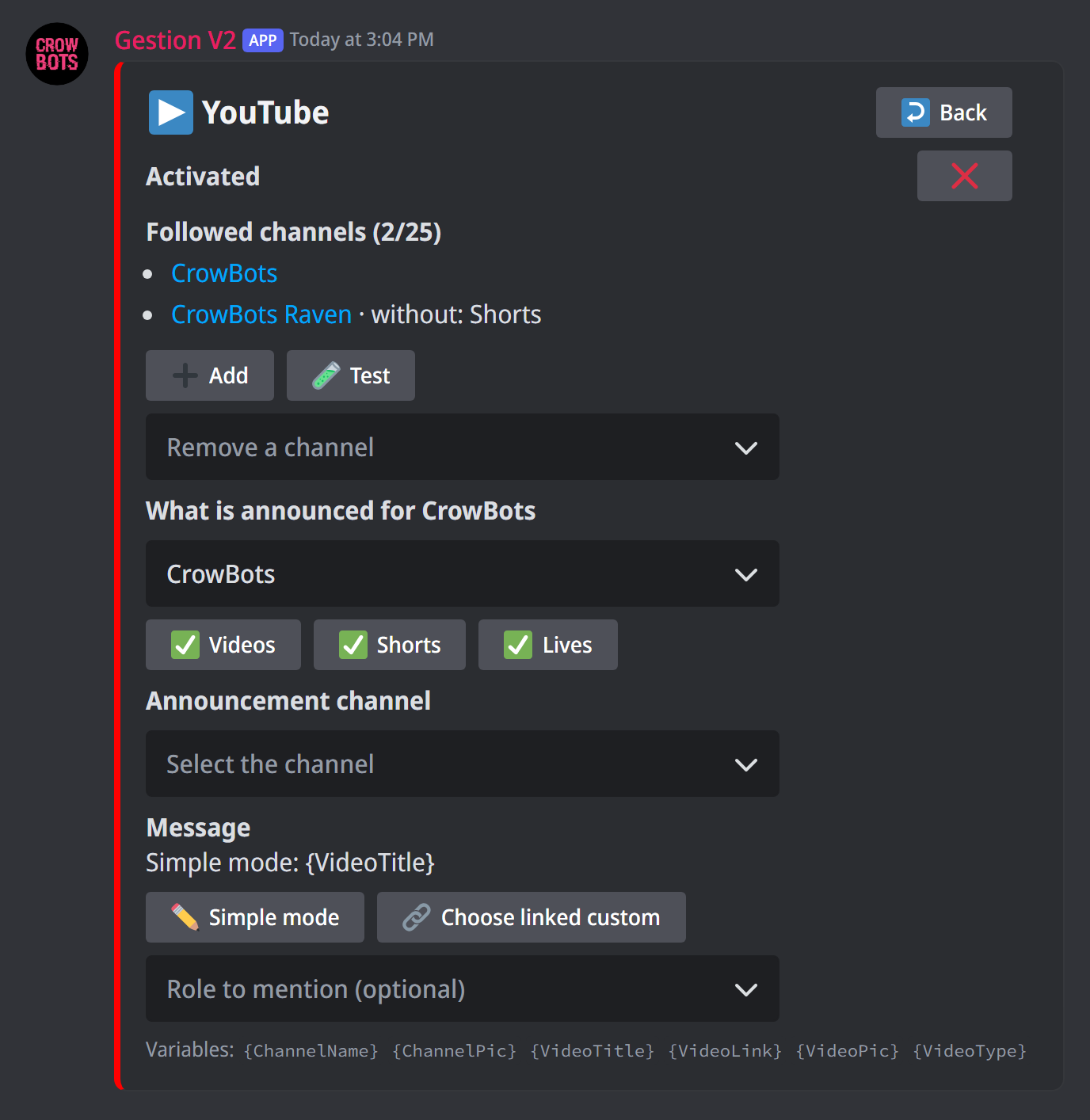
For each channel, choose what is announced: under What is announced for, pick the channel in the list, then turn Videos, Shorts and Lives on or off. All three start on. The channel list shows what is turned off.
- A premiere is announced as a video, when it starts.
- A scheduled live is announced when it starts, not when it is scheduled.
- A finished live's replay is not announced.
- Only public videos are announced.
On RSS
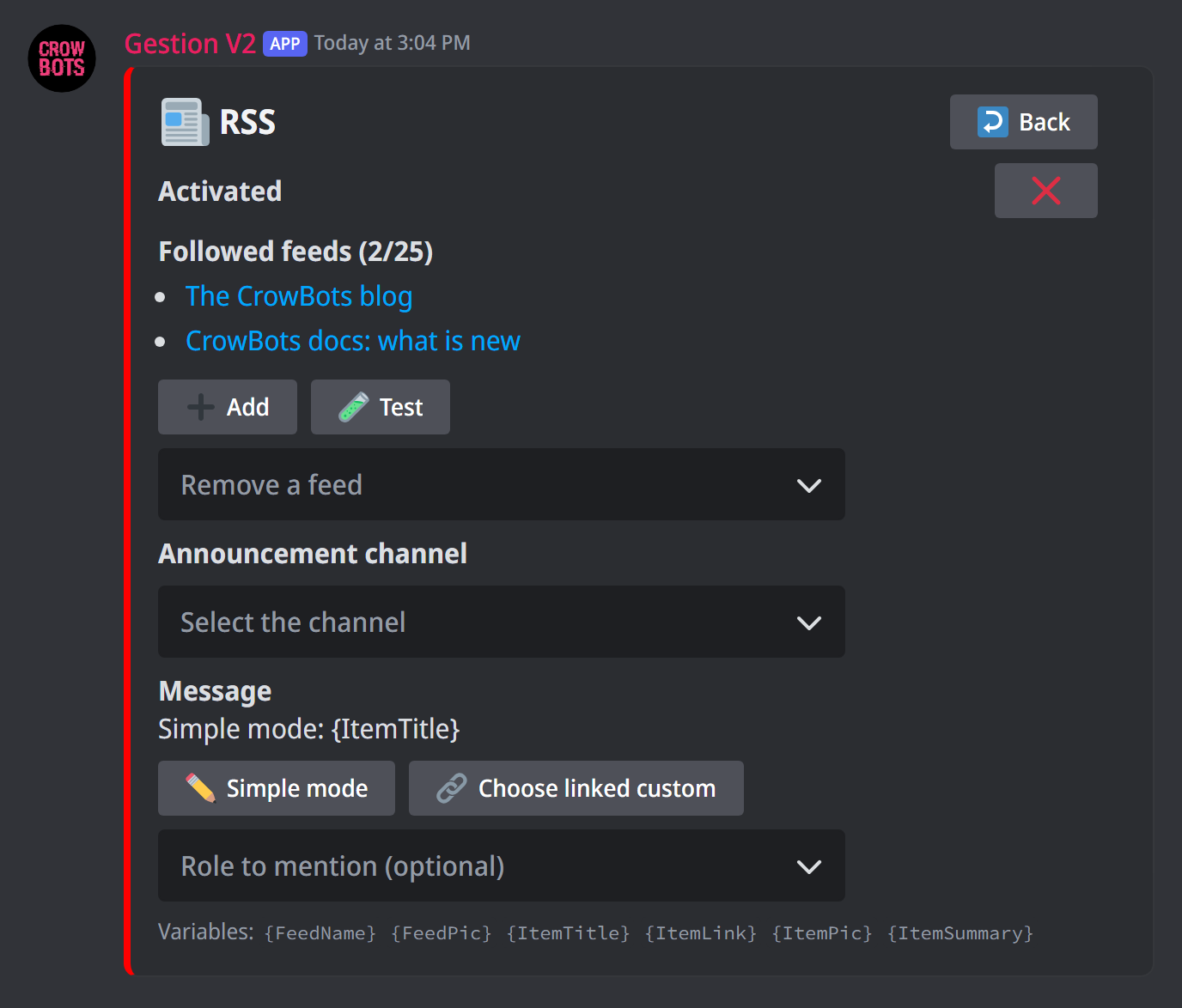
The feed's address, RSS or Atom (https://example.com/feed); without https://, the bot adds it. The bot reads the feed before adding it: the address must be the feed's, not a page of the site. A site often gives its own at the end of its address (/feed, /rss, /atom.xml) or behind an RSS icon.
Each new article of the feed is announced, with its title, its link, the start of its text and its image if it has one. The articles the feed already held when you added it are not.
On Reddit
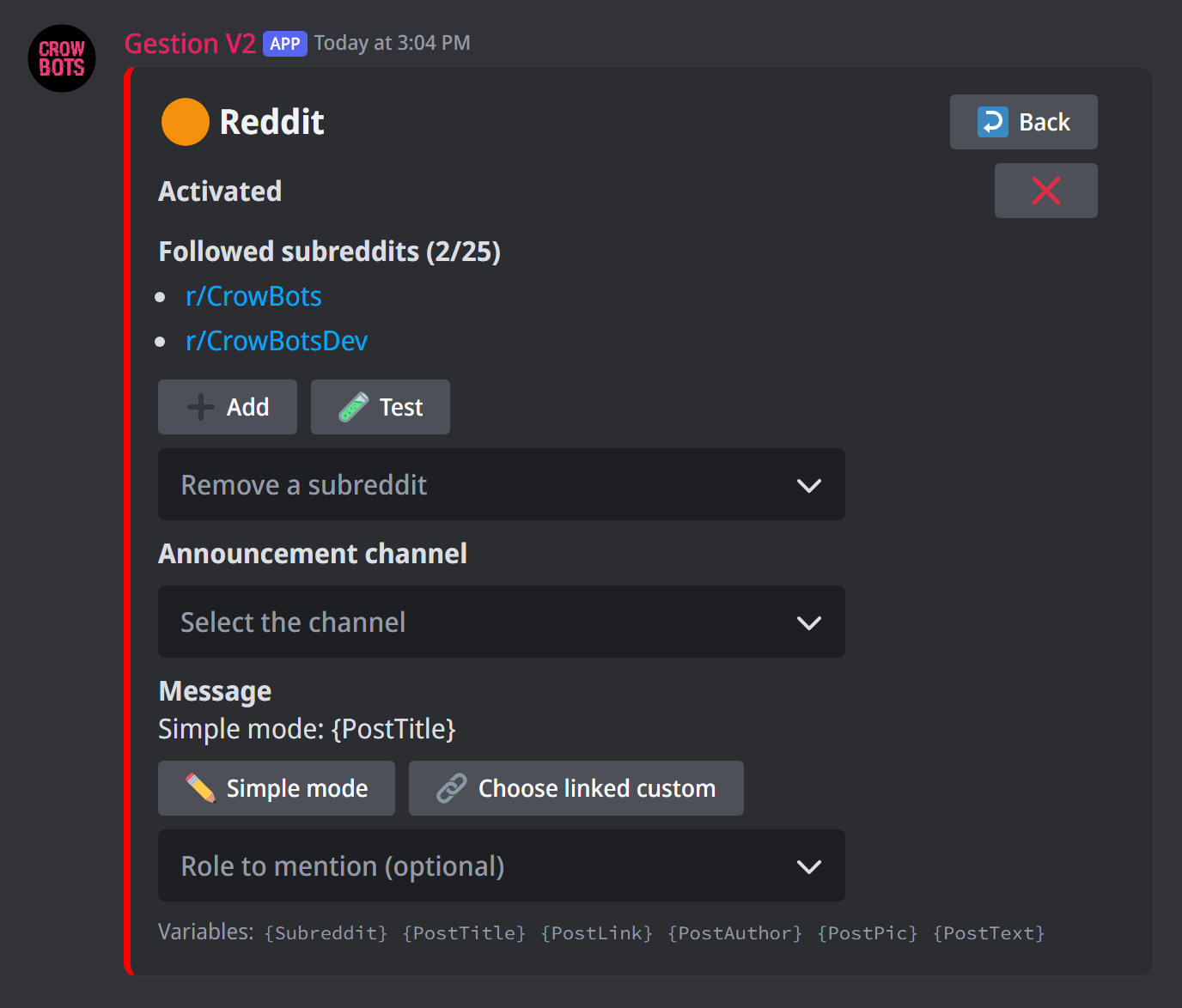
The subreddit's name (r/france or france) or its link (https://www.reddit.com/r/france), even to one of its posts. Add several at once, separated by commas: r/france, r/gaming, r/pcgaming.
A subreddit is added and followed right away; the bot then checks with Reddit that it exists. If it does not or is private, the list says so with ⚠️ not found or private within a few minutes: remove it, or fix its name.
Each new post of the subreddit is announced, with its title, its link, its author, the start of its text and its image if it has one. The image is shown as Reddit gives it: choose subreddits that suit the announcement channel.
Free games
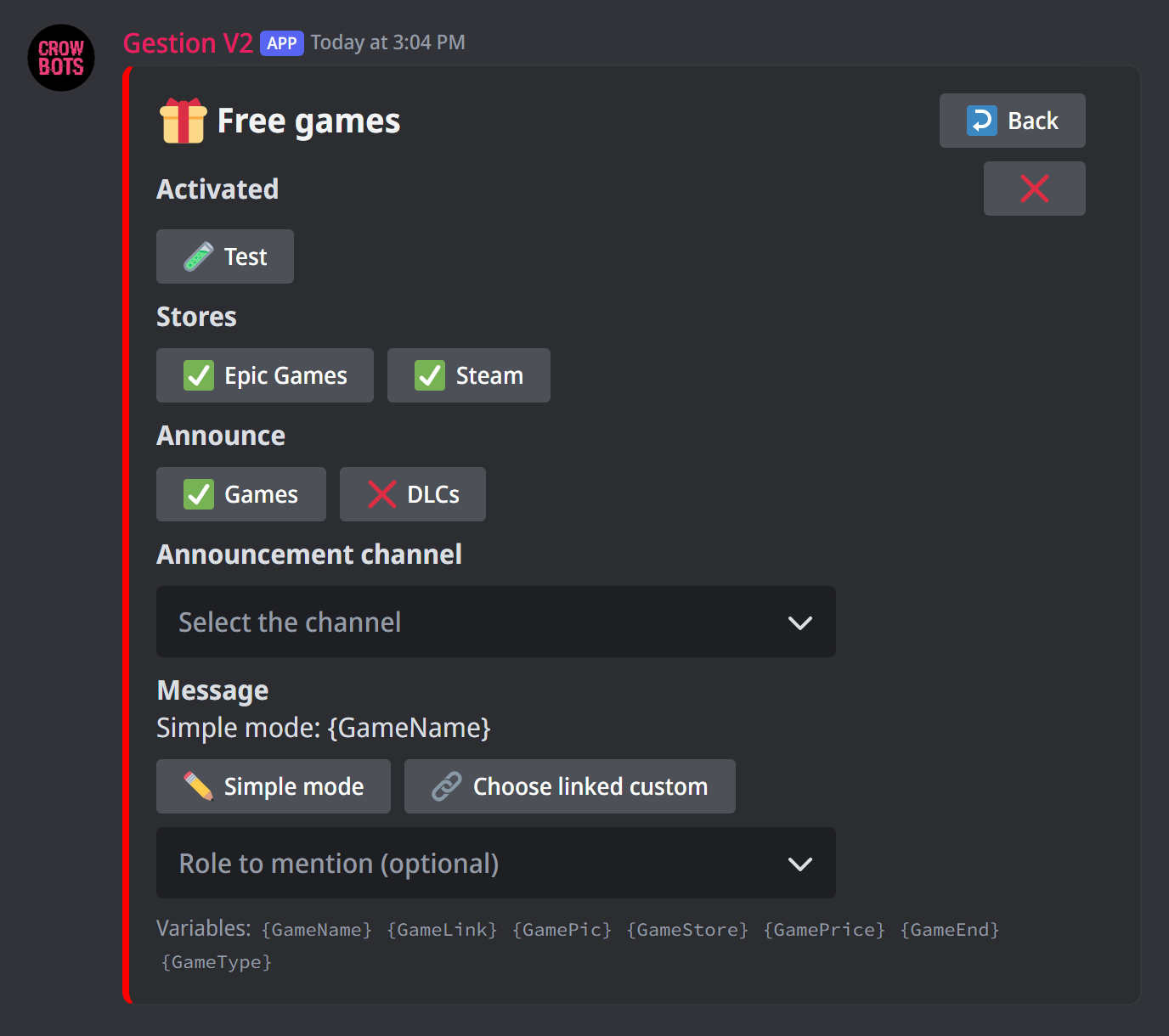
Here, nothing to add or remove:
- Stores: Epic Games and Steam, on at first;
- Announce: games and DLCs, on at first.
Each game or DLC that becomes free to keep in a store that is on is announced once, with its name, its link, its image and its usual price. A game already free when you turn the alerts on is announced too, since it can still be claimed. Nothing is announced in advance: a game is announced when it actually becomes free.
Free DLCs are frequent on Steam: turn DLCs off if you only want games.
The channel and the switch
- Announcement channel: where the announcements are posted. The bot must be able to write and send embeds there.
- Activated: the ✅/❌ button turns the alerts on; they start off. While off, nothing is announced, but your channels and your message are kept.
The message
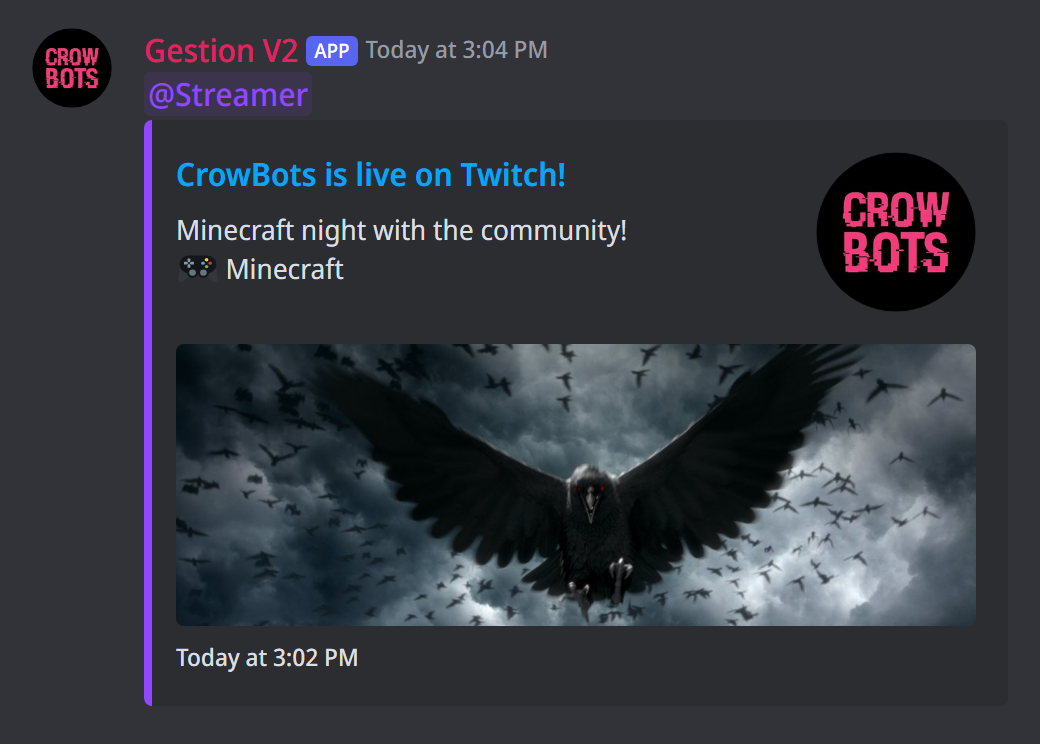
Two ways to set the announcement:
- Simple mode: you give a title and a description. The bot posts an embed whose title links to the live, video or article, with the channel's picture (the site's logo), the live's, video's or article's image and its time; purple for Twitch, red for YouTube, orange for RSS and Reddit, green for free games. The Role to mention list adds a mention of a role, to notify its members.
- Linked custom: the Choose linked custom button asks for the keyword of an existing custom, which becomes the announcement. You then set the whole message: text, embeds, buttons, mentions. It is sent as the bot: its
{Member…}variables refer to it (Targeting a member), its buttons act for the member who clicks, and its role, filtering and cooldown modules do not apply.
Each mode keeps its setting when you switch between them.
The variables
The title, the description and the linked custom accept variables, which each platform's panel lists.
On Twitch:
{StreamerName}: the channel's name;{StreamerPic}: the channel's profile picture;{LiveTitle}: the live's title;{LiveGame}: the game;{LiveLink}: the link to the live;{LivePic}: the live's image;{LiveStart}: the start time, shown by Discord ("2 minutes ago").
On YouTube:
{ChannelName}: the channel's name;{ChannelPic}: the channel's profile picture;{VideoTitle}: the video's or live's title;{VideoLink}: its link;{VideoPic}: its thumbnail;{VideoType}: "New video", "New Short" or "Live now".
On RSS:
{FeedName}: the feed's name;{FeedPic}: the site's logo, if it gives one;{ItemTitle}: the article's title;{ItemLink}: its link;{ItemPic}: its image, if it has one;{ItemSummary}: the start of its text.
On Reddit:
{Subreddit}: the subreddit (r/france);{PostTitle}: the post's title;{PostLink}: its link;{PostAuthor}: its author (u/name);{PostPic}: its image, if it has one;{PostText}: the start of its text, if it has one.
For free games:
{GameName}: the game's name;{GameLink}: its link in the store;{GamePic}: its image;{GameStore}: the store (Epic Games, Steam);{GamePrice}: its usual price;{GameType}: "Game" or "DLC";{GameEnd}: the end of the offer, shown by Discord ("in 3 days"); empty when the store does not give it (Steam).
In a linked custom, write them exactly like this, capitals included; simple mode recognises them whatever the case. Titles, games, and the text of articles and posts are written by their authors: a mention in them (@everyone, a role) notifies nobody.
Testing
The Test button posts a trial announcement in the announcement channel, with a fake live, video, article or post from the first followed channel, feed or subreddit, or a fake free game. Use it to see the message without waiting for a real announcement.
When an announcement goes out
- Each live or video is announced once, a few moments after it starts or is posted; an article or a post, within a few minutes of its publication.
- What started or was posted before you added the channel, the feed or the subreddit, or before you turned the alerts on or picked the channel, is not announced: only the next live, video, article or post is.
- If several of your servers follow the same channel, feed or subreddit with this bot, each one gets its announcement.
If it does not work
- No announcement: check that the alerts are on, that the channel is picked, and that the bot can write in it. On YouTube, also check that this kind of content is turned on for the channel.
- "Alerts are temporarily unavailable": try again in a few minutes. Announcements are not lost: what is still recent is announced as soon as the service is back.
- "The bot found no readable RSS feed": check that the address is the feed's, not a page of the site, and that it opens without an account.
- ⚠️ not found or private next to a subreddit: check its name; a private subreddit cannot be followed.
- The role is not mentioned: the role must be mentionable, or the bot must have the permission to mention all roles. The panel warns you.
- The linked custom no longer exists: link another one, or go back to simple mode.
All the commands
Every command in this guide, with its arguments, its default level and examples: Alerts.